
본 프로젝트는 Spring Framework를 사용하지 않고,
순수 JAVA를 이용하여 Kafka를 사용합니다.
1. Intellij 프로젝트 설정 및 멀티 Module 설정
1.1. Intellij 프로젝트 시작
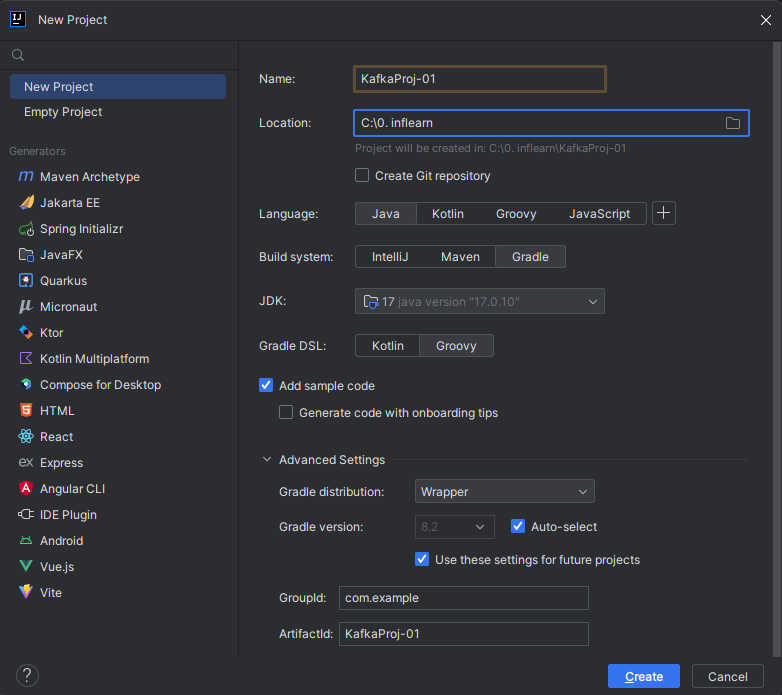
1.2. src build.gradle의 의존성(dependencies) 제거 후 clean build
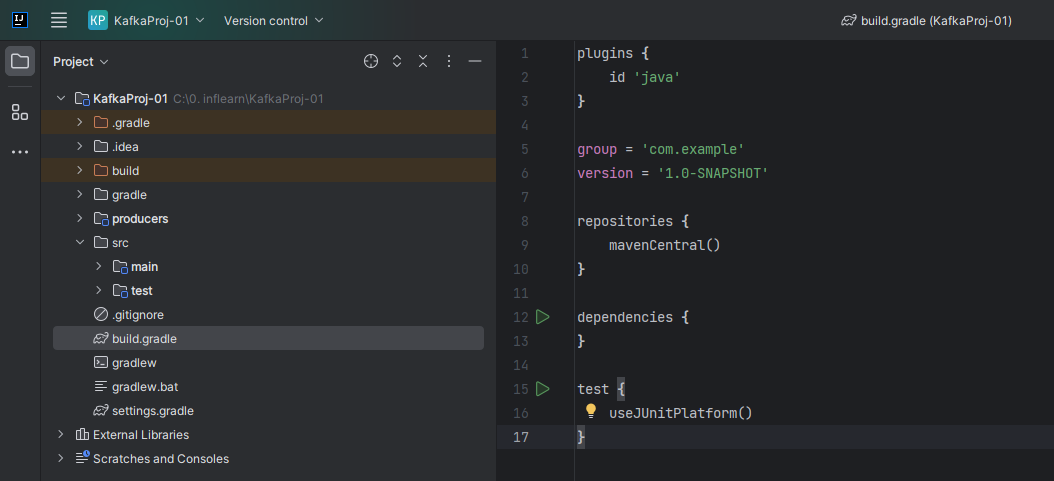
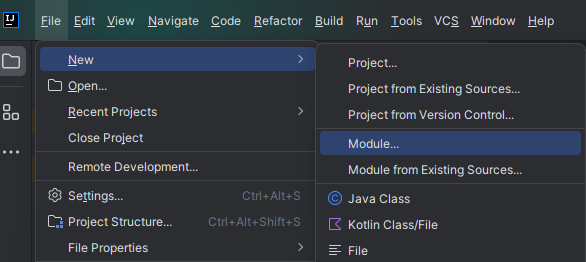
1.3. File > New > Module
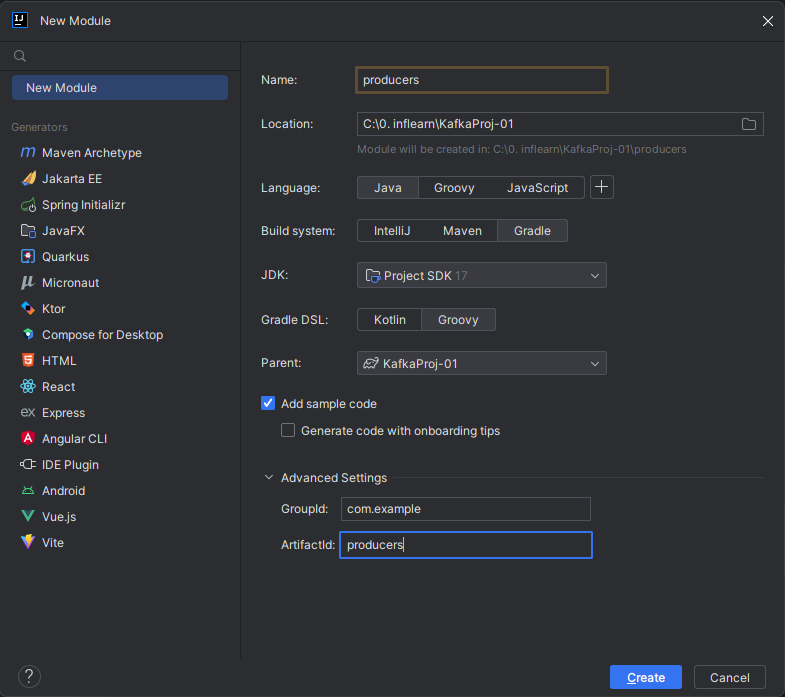
1.4. Producers Module 추가
1.5. root의 src 제거 및 build.gradle 제거
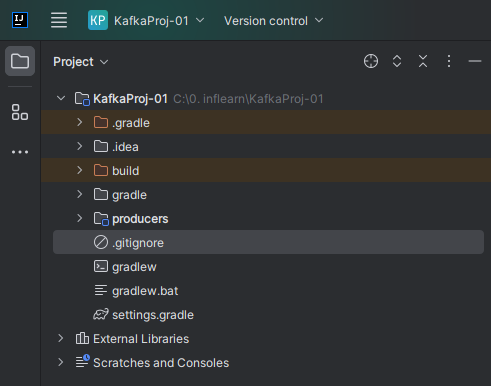
2. build.gradle 의존성 설정
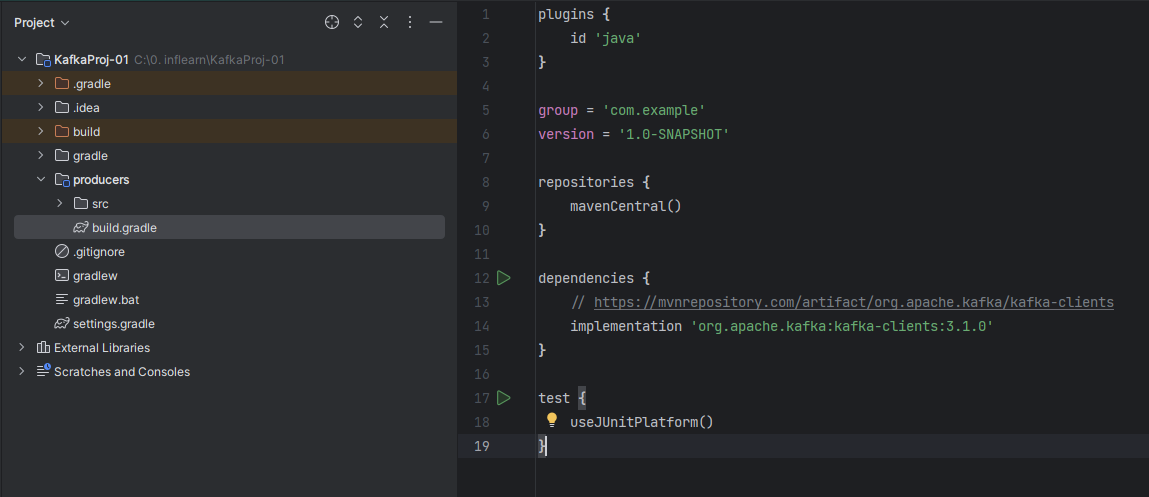
https://mvnrepository.com/artifact/org.apache.kafka/kafka-clients
2.1. kafka java client 의존성
우리는 ubuntu에 Confluent Kafka 7.1.2 버전을 설치했다. Confluent Kafka 7.1.x 버전은 Apache Kafka의 3.1.x 버전과 호환되므로, Apache Kafka 3.1.x 버전을 설치한다. (본인은 3.1.0을 선택했음)

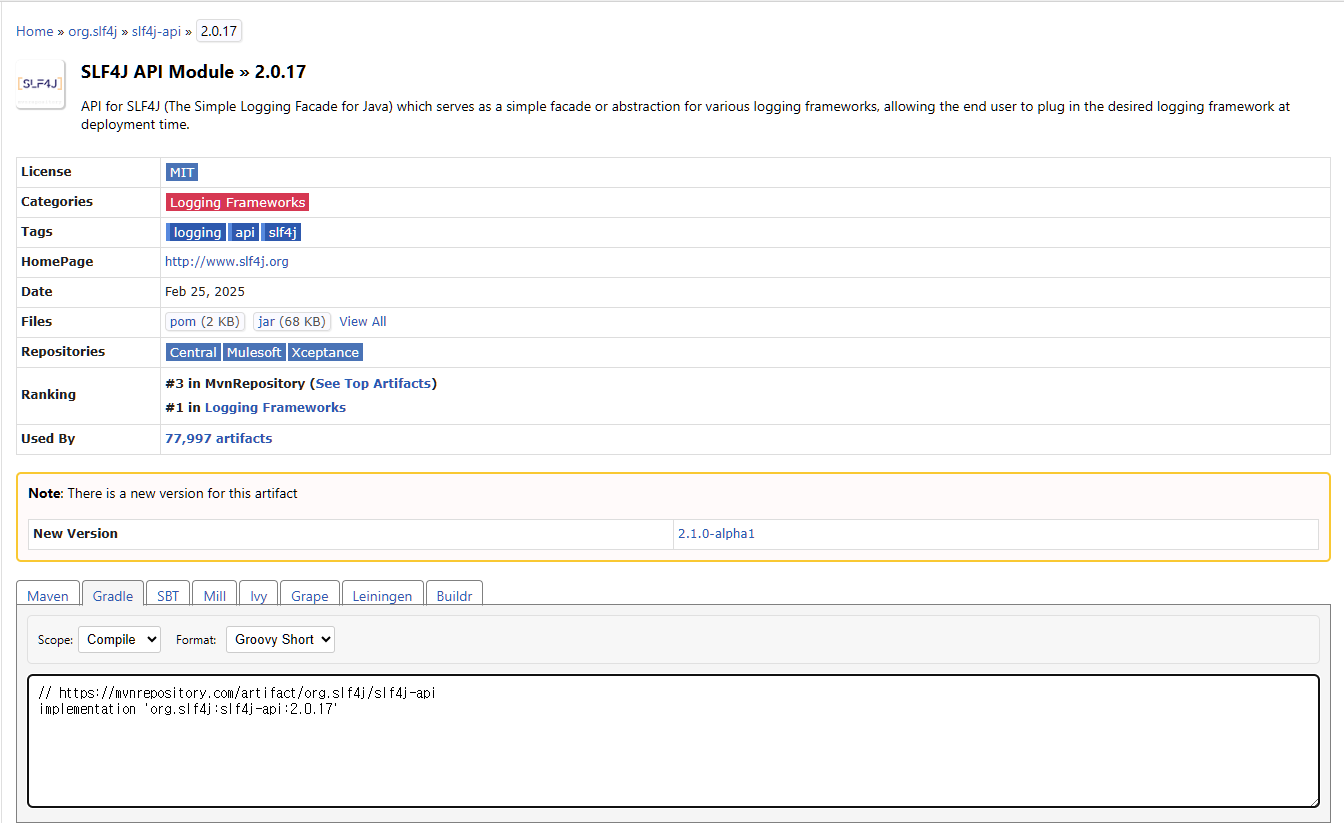
2.2. Slf4J API Module
https://mvnrepository.com/artifact/org.slf4j/slf4j-api/2.0.17

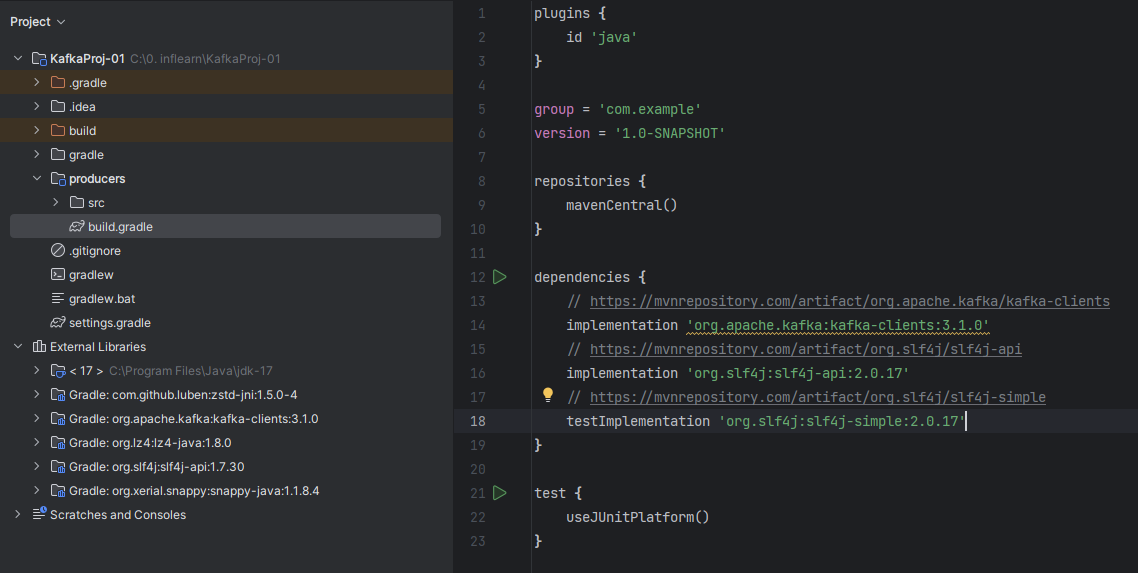
2.3. Slf4J Simple Provider(Binding)
https://mvnrepository.com/artifact/org.slf4j/slf4j-simple

3. UTF-8 설정
3.1. File > Settings > File Encodings

3.2. Help > Edit Custom VM Options
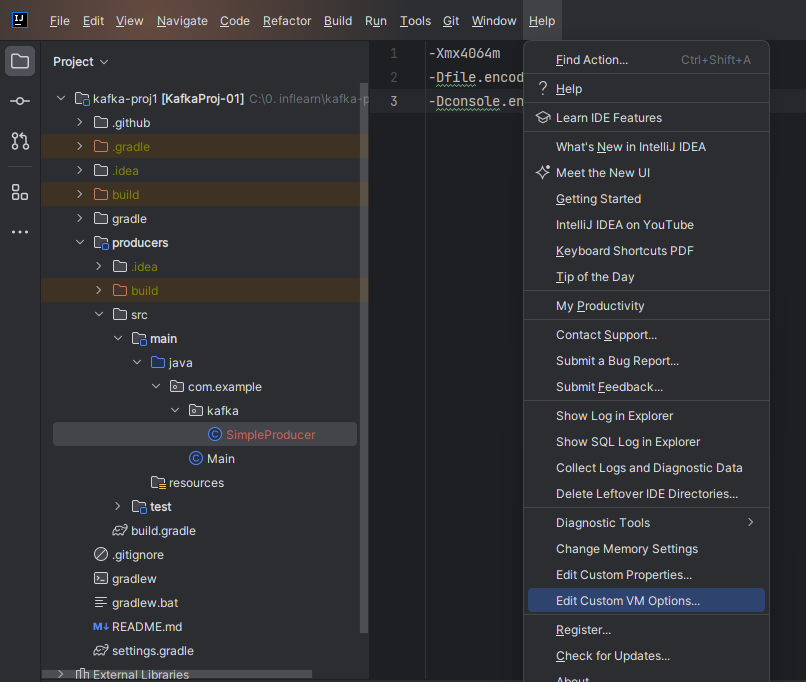
-Xmx4064m
-Dfile.encoding=UTF-8
-Dconsole.encoding=UTF-8
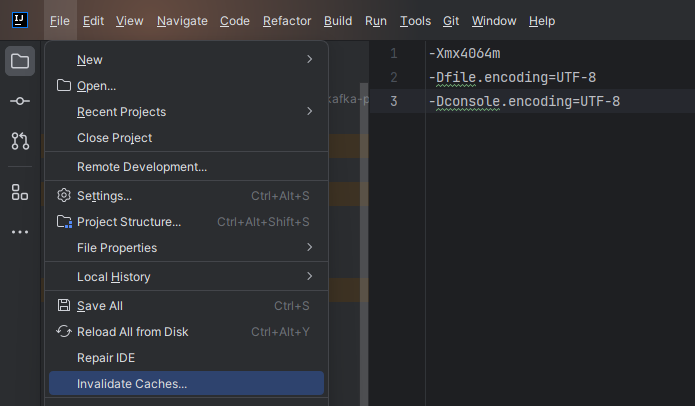
3.3. 캐시 초기화
File > Invalidate Caches

4. 모듈 만들기 (consumers)

[2] producers의 build.gradle을 복사해서 consumers의 build.gradle에 붙여넣기
[3] SimpleConsumer 클래스 생성
'Kafka > Core' 카테고리의 다른 글
| [ADVANCED #2][실습] Producer 완전 정복: 기초부터 고급 설정 (0) | 2025.09.08 |
|---|---|
| [ADVANCED #1] Producer 심층 분석: 내부 동작 원리와 고급 설정 (0) | 2025.09.07 |
| [BASIC #7] Config 구분 및 이해: 카프카 설정의 계층 구조 파악하기 (0) | 2025.09.07 |
| [BASIC #6] Consumer의 핵심: Consumer Group과 리밸런싱 전략 (0) | 2025.09.07 |
| [BASIC #5] Producer의 핵심: 직렬화와 파티셔닝 전략 (0) | 2025.09.07 |